
XicoClean
How to check your Mac’s hardware and specs
Checking specs, measuring performance and diagnosing a fault call for different tools. Start with the question you need answered, then choose hardware information, XicoMark or Apple Diagnostics.
See the hardware in this Mac
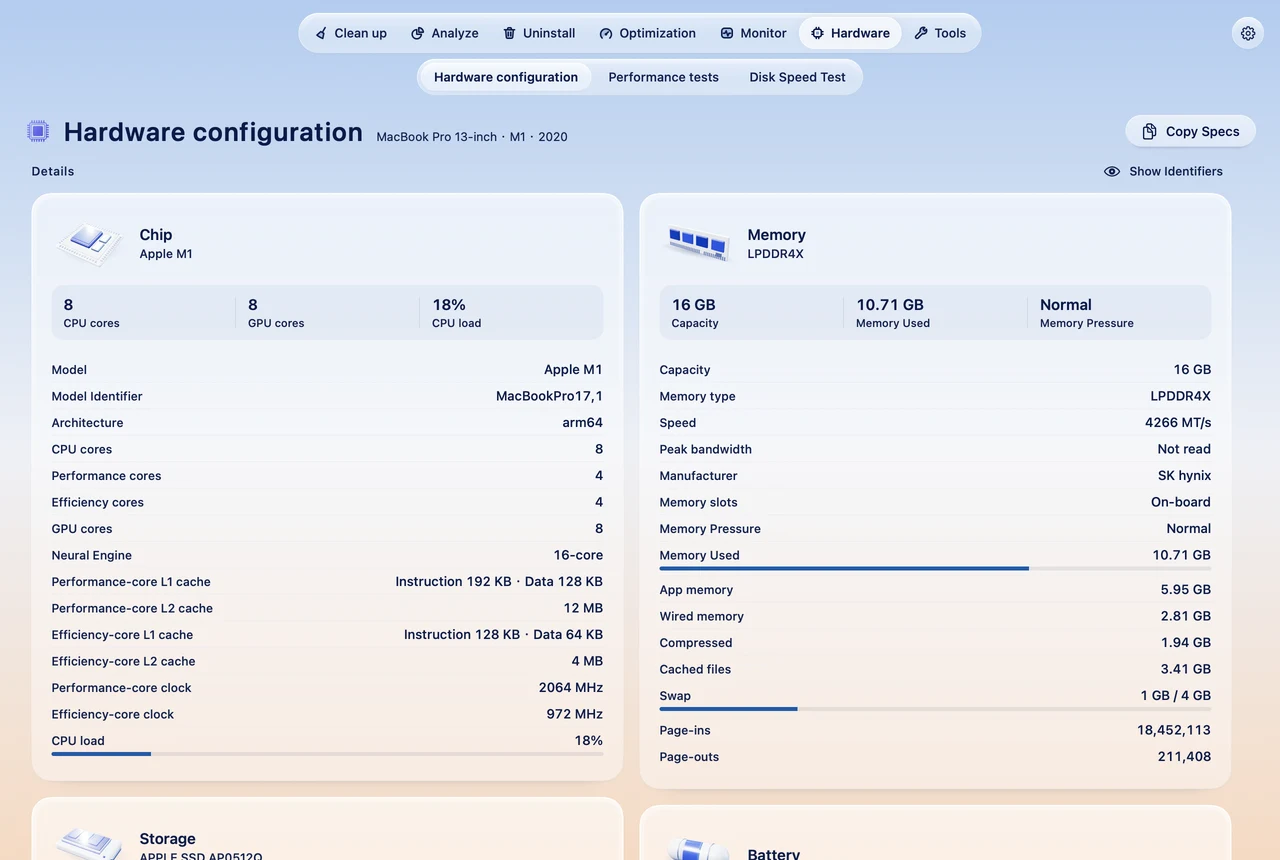
Open Hardware in XicoClean for chip, memory, storage and battery details. You can copy the specs to compare machines. The serial number is hidden by default.
- Check the chip and memory configuration for the Mac in front of you.
- See storage and battery details when the Mac reports them.
- Compare CPU, GPU, memory and storage scores in XicoMark, or run a separate disk speed test.
Choose the check that matches the question
Confirm the specs in About This Mac or XicoClean
On recent macOS versions, open System Settings → General → About for the model, chip and memory. Open System Report for details about connected devices and the hardware macOS recognizes.
Apple’s System Information guideCompare performance under similar conditions
Connect power, allow background work to settle and use the same test settings for each run. Compare similar models when possible. For disk results, distinguish the built-in drive from an external drive and the port it uses.
Run Apple Diagnostics for a suspected hardware fault
Shut down and disconnect unneeded accessories. On Apple silicon, hold the power button to reach startup options, then hold Command–D. On Intel, hold D as the Mac starts. Keep any reference code for a follow-up with Apple Support.
Apple Diagnostics instructions
Mac hardware check questions
Can a benchmark tell me whether my Mac is broken?
A benchmark records performance under the test conditions. If the score looks unusual, check power mode, temperature and background activity. Apple Diagnostics is the place to check a suspected hardware fault and get a reference code.
Where can I check my MacBook battery?
Use Hardware in XicoClean for the information the machine reports or Battery in macOS System Settings for Apple’s battery-health view. A desktop Mac has no built-in laptop battery to report.
Can I share the specs of a used Mac?
You can share details such as the model, chip and memory. XicoClean hides the serial number by default. Check the rest of the screen for identifiers and account details before posting a screenshot.

Use it for 15 days first.
Every feature is on. No sign-up, no card. Buy it if it earns a place on your Mac.
macOS 12 or later · Apple silicon and Intel
Follow XicoClean